


Cloud POS
Cloud POS that runs in your browser
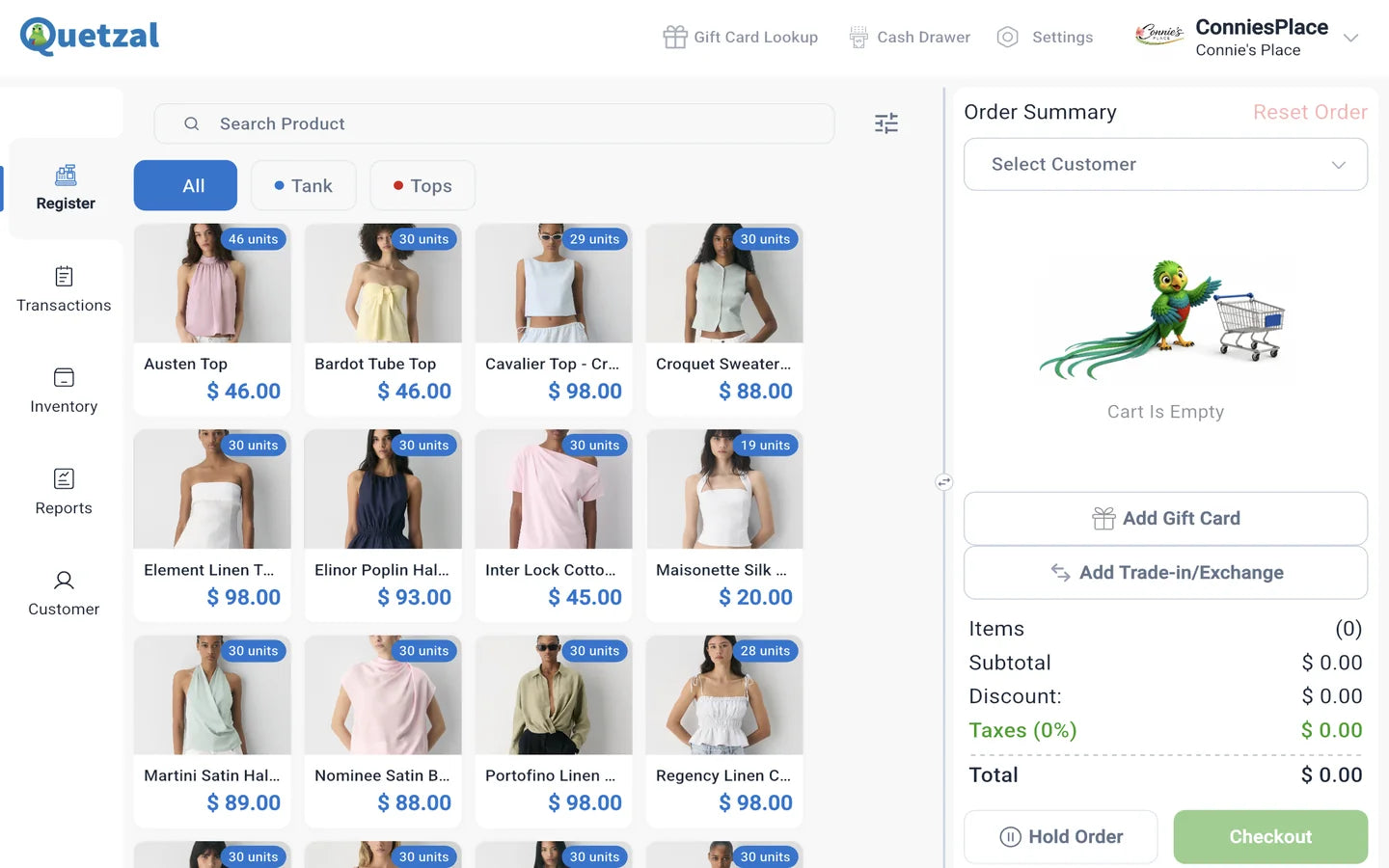
Quetzal POS runs in a web browser at web.quetzalpos.com, with nothing to install. The same account signs in on the iPad and Android apps, so products, customers, orders and reports are shared across every device and location. Each store can run up to 5 checkout lanes.
What cloud means in Quetzal POS
Your store's data lives in your Quetzal POS account, not on one machine. Any computer with a browser can be a register, a back-office screen for purchase orders, or a laptop for reading reports at home.
Settings are split in two. Store-wide settings, such as receipt logo, currency, timezone, loyalty rules and payment types, are saved once and pushed to every device with Update All Device. Device settings, such as language, colour theme and lane number, stay on the device you're using.
Browser or app?
Both use the same account. Most stores mix them.
| Web browser | iPad and Android apps | |
|---|---|---|
| Where | web.quetzalpos.com | App Store and Google Play |
| Install | Nothing to install | Free app download |
| Good for | Back office, reports, purchase orders, a counter computer | Counter registers and working on the floor |
| Account and data | Same account | Same account |
| Printers and terminals | Assigned by lane | Assigned by lane |
Several lanes, several stores, one account
Where a cloud system earns its keep: more than one register, or more than one location.
Up to 5 lanes per store
Give each device a lane number from 1 to 5. Each lane has its own cash drawer log, receipt printer and card terminal, and the Cash Drawer report breaks out every lane.
Staff who work at more than one store
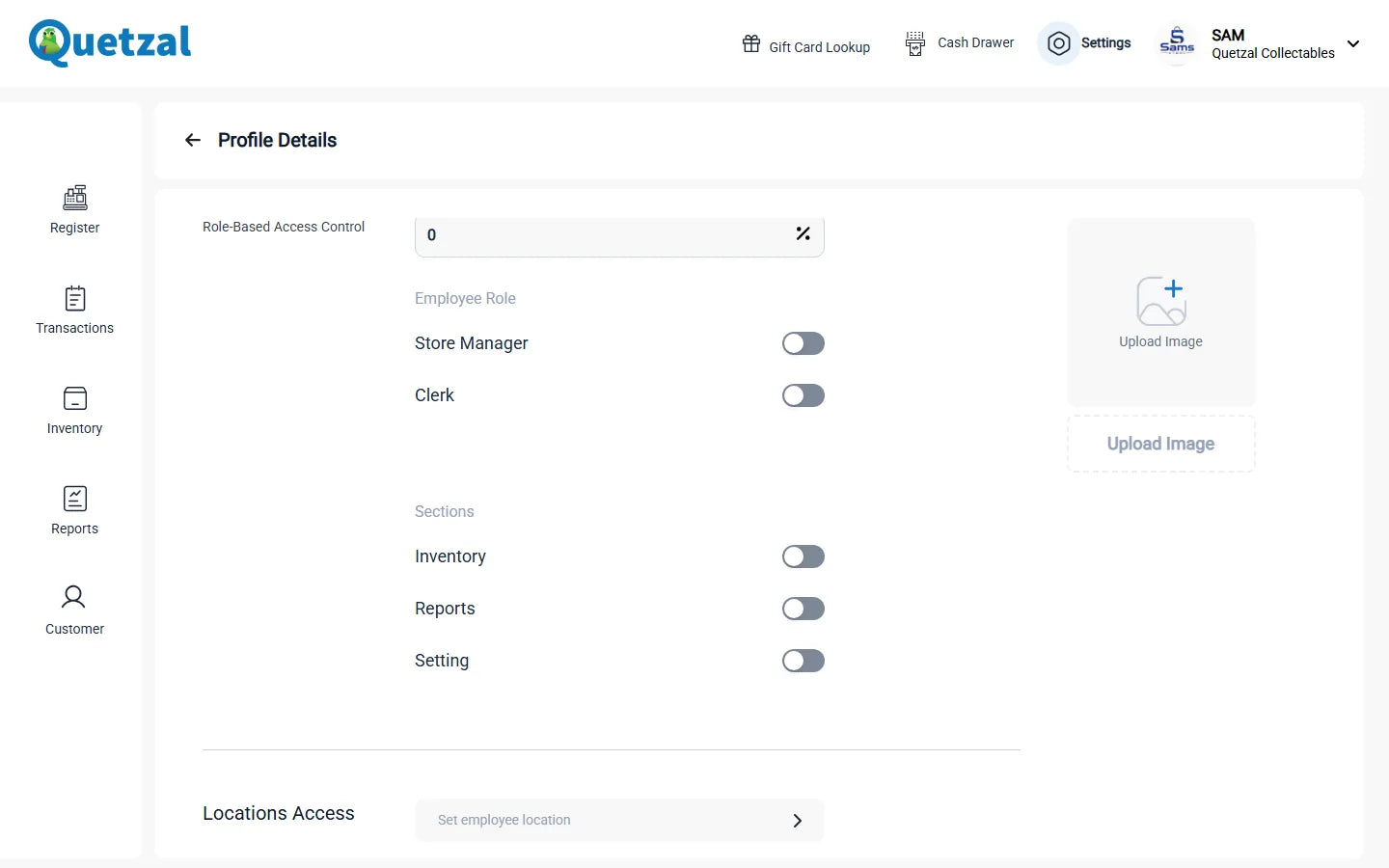
Choose which locations each user can open, along with their role, the sections they can see and their maximum discount. Staff switch location from the user menu.
Stock that moves between stores
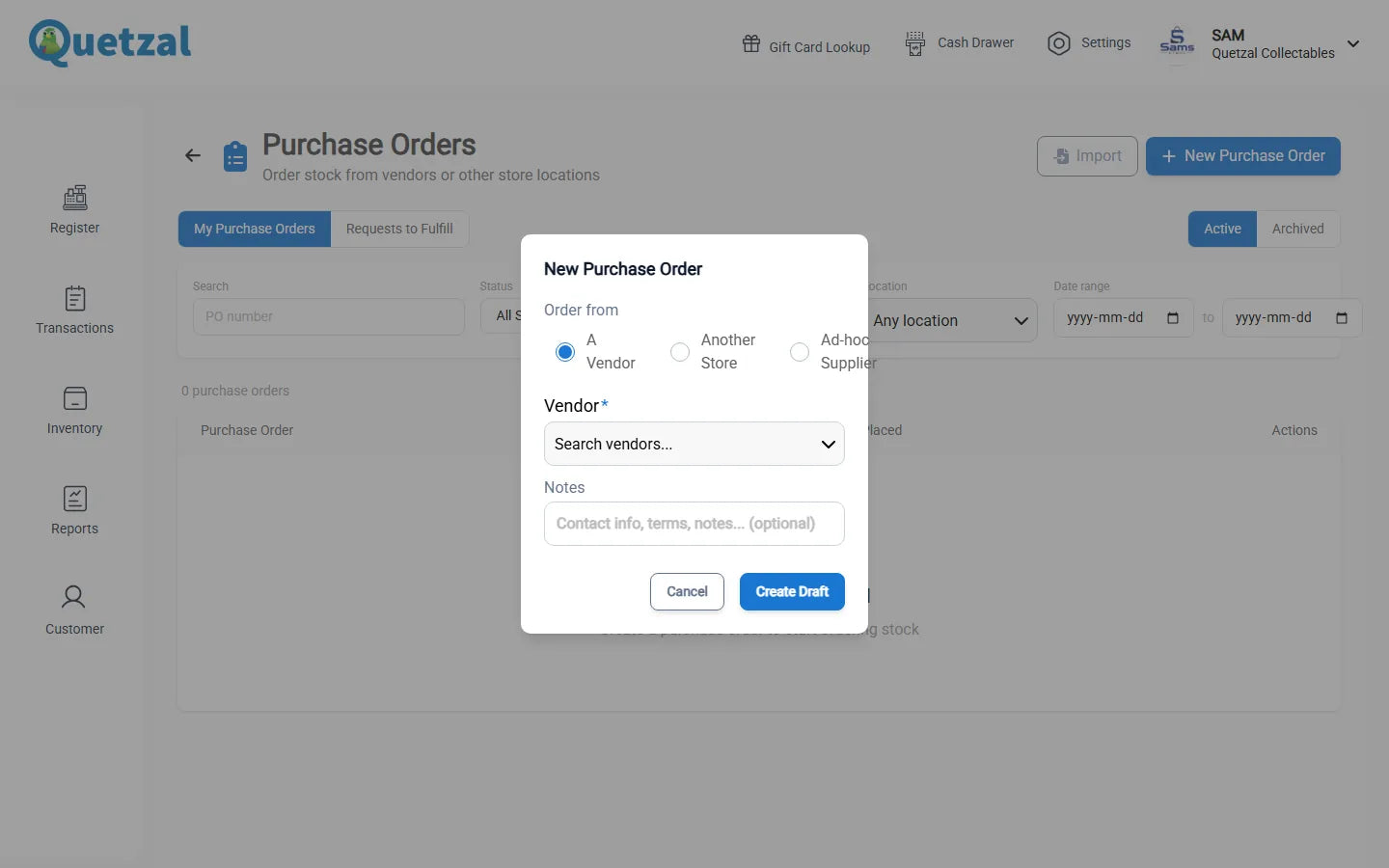
Send a purchase order to another of your stores. It shows up there under Requests to Fulfill, and you track it through to received. Reports group by location when you need to compare stores.
Cloud POS questions
What is the web address for Quetzal POS?
Sign in at web.quetzalpos.com. New stores sign up at onboard.quetzalpos.com.
Do I need to install anything to use Quetzal POS?
Not for the web version. The iPad and Android apps are free downloads if you prefer a tablet.
How much does it cost to add another location?
US$30 a month per extra location on the Professional plan, which is US$40 a month.
Open it in a browser today
Create a free account and you're on the register in minutes. Or book a demo to set up lanes and locations with us.