


Android POS
Quetzal POS for Android
Quetzal POS has an Android app on Google Play (package com.quetzal.pos). It uses the same account as the web and iPad versions, so an Android tablet can sit next to a browser register in the same store. Plans start free; Professional is US$40 a month.
Why stores pick Android
Android gives you more choice of device and price. Quetzal POS stays the same on each.
Choice
Pick your own tablet
Use an Android tablet you already own or one that fits your counter and budget, then install Quetzal POS from Google Play.
Mixed stores
Mix devices in one store
Run one lane on Android and another in a browser or on iPad. Each device gets its own lane number, drawer, printer and terminal.
Terminals
Android-based card terminals
Two of the Nuvei terminals Quetzal POS supports, the PAX A920 and the Sunmi P2, are Android handhelds, which suits stores that take payment away from the counter.
An Android register, piece by piece
What a typical Android lane is made of, and what Quetzal POS supports for each part.
| Part | What works with Quetzal POS | Notes |
|---|---|---|
| App | Quetzal POS on Google Play | Free download; your plan sets the limits |
| Receipt printer | Star Micronics or Epson | Set as type Receipt, assigned to a lane |
| Label printer | Star mC-Label, or a Star or Epson printer set to Label | Print barcode labels per variant |
| Card terminal | Nuvei: PAX A920, PAX S300, Sunmi P2, plus Verifone and Ingenico models | Charge, void and retry from checkout |
| Cash drawer | Star mPOP (printer and drawer in one) | Drawer counts logged per lane |
Sources: Google Play listing com.quetzal.pos; Quetzal POS app settings, checked 2026-09-27; Star Micronics release, June 2026, which names Android among supported platforms.
Setting up an Android lane
- Create your account on the Free plan, or have us set up Professional.
- Install Quetzal POS from Google Play and sign in.
- Under Settings, Preferences, choose the app language and the lane number for this device.
- Add your printer under Settings, Printers: brand, name, address and whether it prints receipts or labels.
- If you take cards, add your Nuvei terminal under Settings, Payment Terminals and assign it to the same lane.
- Ring up a test sale, then count the opening float in the cash drawer.
What the Android app is good at
Touch-friendly screens from the Quetzal POS register and inventory. The app works the same way on every device.
A register built for taps
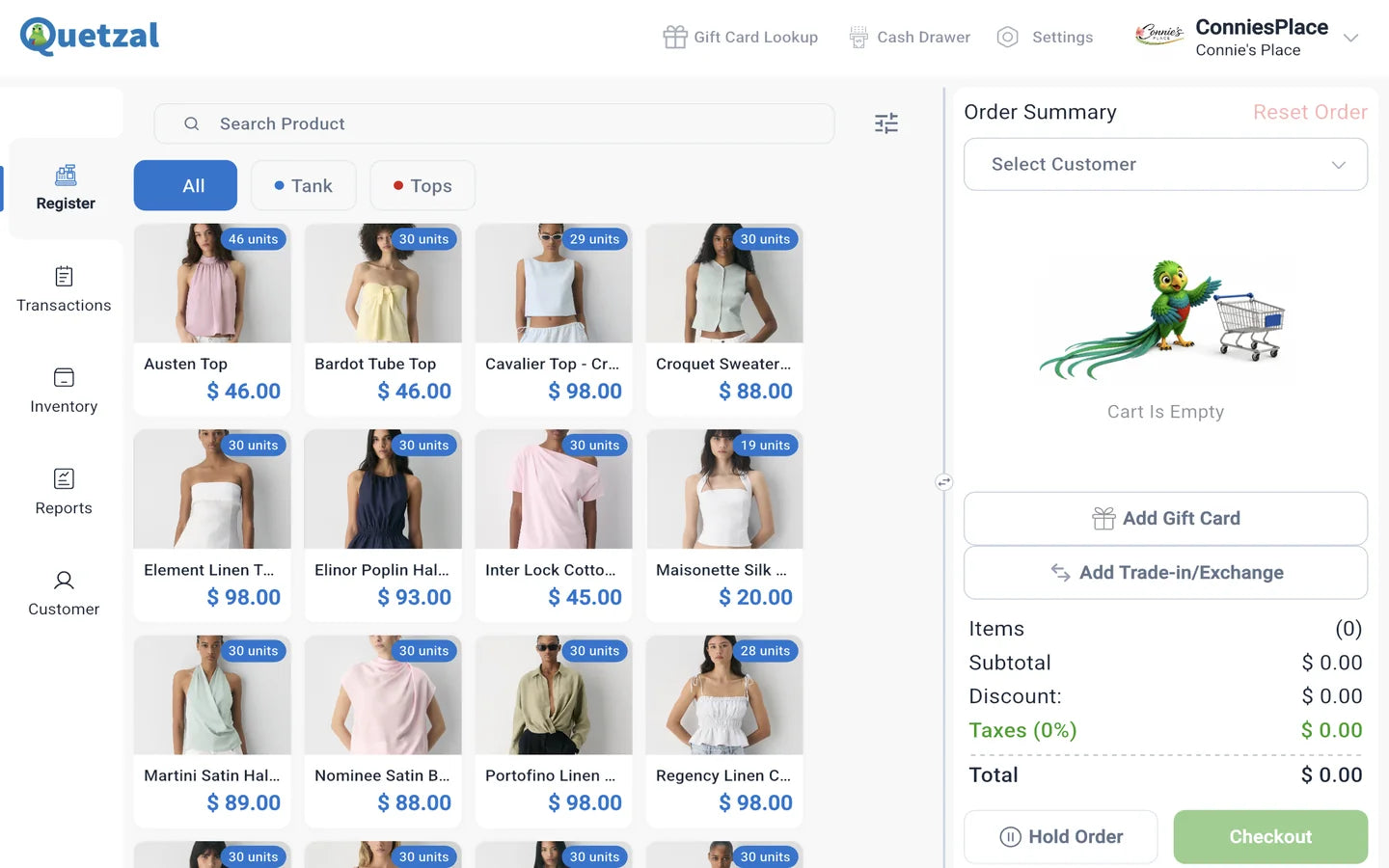
Products show as cards with photo, price and a stock badge, grouped under colour-coded category tabs. Add items, attach the customer and take payment from one screen.
Stock counts in your hand
Walk the floor with the tablet, scan each item and see expected against counted for every variant. Accept the matches in bulk and only review the differences.

Android questions
Where do I download Quetzal POS for Android?
From Google Play: play.google.com, package com.quetzal.pos.
Can I use Android and iPad in the same store?
Yes. Every device signs in to the same Quetzal POS account. Give each one its own lane number.
Set up an Android register
Install the app and start on the Free plan, or book a demo and we'll help you choose hardware.