


Support
Get help with Quetzal POS
Email support@quetzalpos.com or call (289) 231-7555 and a person on the Quetzal POS team will help. For the fastest fix, tell us your store name, the device you're on and what went wrong.
How to reach us
- Support email
- support@quetzalpos.com
- Phone
- (289) 231-7555
- Support form
- Send a support request
- Sales and billing
- sales@quetzalpos.com
- Office
- Quetzal Project Partners Inc., 7565 Danbro Crescent, Mississauga, ON L5N 6P9
- Sign in
- web.quetzalpos.com
What to include in a support request
A complete request lets us reproduce the problem without a back-and-forth.
- Your store name and the email you use to sign in
- The location and checkout lane, if you have more than one
- The device and app: web browser, iPad or Android
- What you were doing and what happened instead, including any error message word for word
- The order number, product or report involved
- A screenshot or short screen recording, if you can take one
Never send full card numbers or staff PINs by email. We don't need them to help.
Before you contact us
Two things that explain a lot of "I can't see it" questions.
Check the staff member's role and permissions
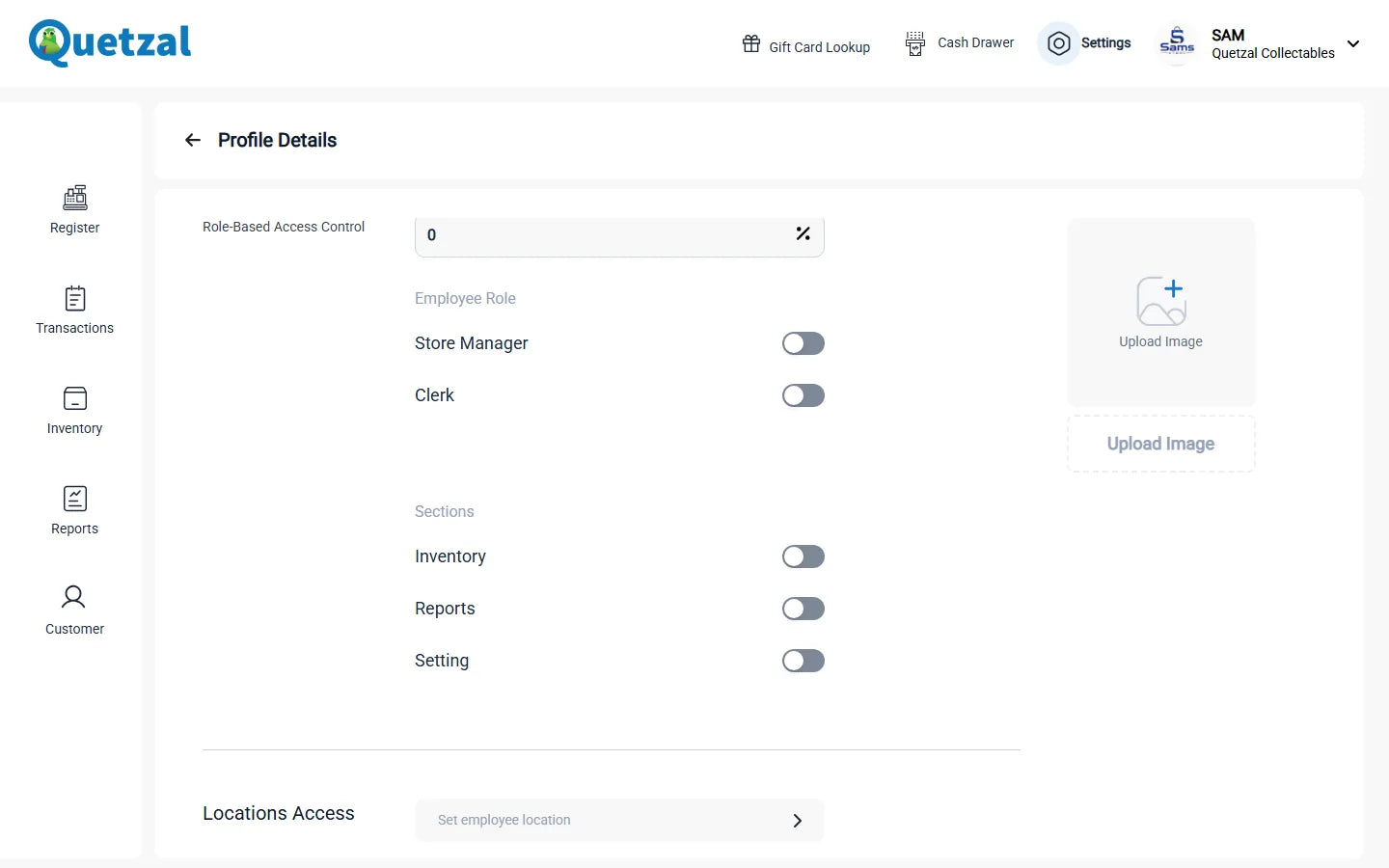
Quetzal POS has Manager and Clerk roles, and each person can be limited to certain sections and a maximum discount. If someone can't open a screen or apply a discount, a manager can check their permissions in settings.
Check which location you're in
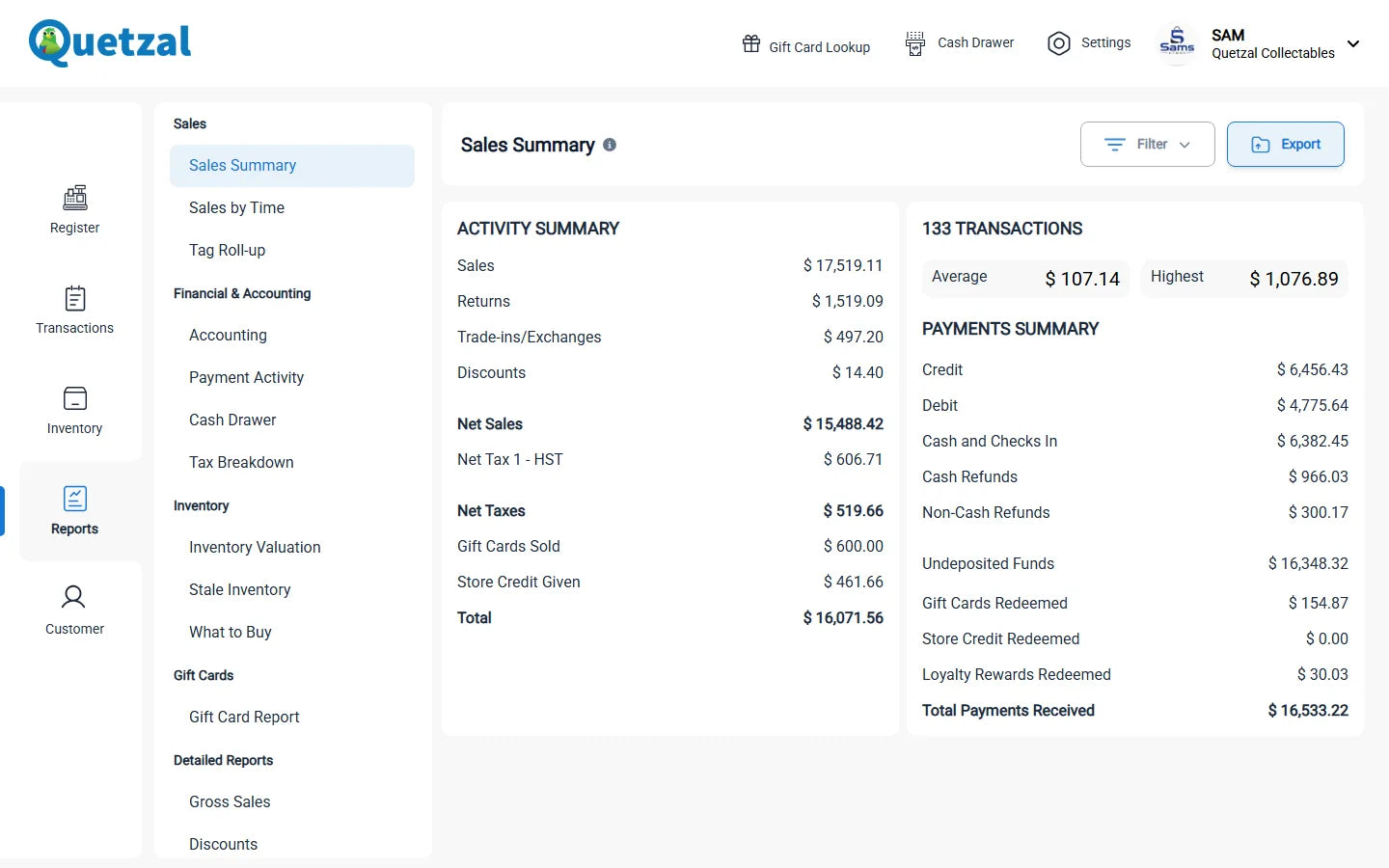
Stock, lanes and reports are tracked per location, and staff only see the locations they're assigned to. If numbers look wrong, confirm the location selected and any report filters for date, source and location.
Learn at your own pace
Guide
Getting started guide
The basics of each part of the app, from first setup to reports.